Case study.
Walmart
Evolving the designer experience in Figma
I used Cursor (AI code editor) to build a Figma plugin, allowing designers to easily create variations of a complex Side Navigation component. I was able to accomplish, on my own, what would have previously required a dedicated engineering resource. Designers can quickly iterate their Side Navigation elements without the need to submit a ticket for a library update.
Summary.
Please note! This summary shows the steps I took to build this proprietary Figma plugin. I'd be happy to present a more detailed case study, and demo the plugin, at your convenience! grgsmthdsn@gmail.com
As we moved into FY26, Walmart's business leadership encouraged design and tech teams to embrace AI tools, and find ways to use them to improve our workflows. I saw this as an opportunity to leverage my previous front-end development experience, and I built a plugin to automate the customization of a complex component.

Challenge.
One of the largest component sets in the PX Pattern Library, a Walmart Enterprise pattern library, is the Side Navigation component set. The 'Side Nav' component set is made up of multiple atoms, molecules, and organisms. It's highly flexible, and it's organized in the library in such a way that library maintainers can recreate variations for any product in Walmart's Enterprise business pillar.
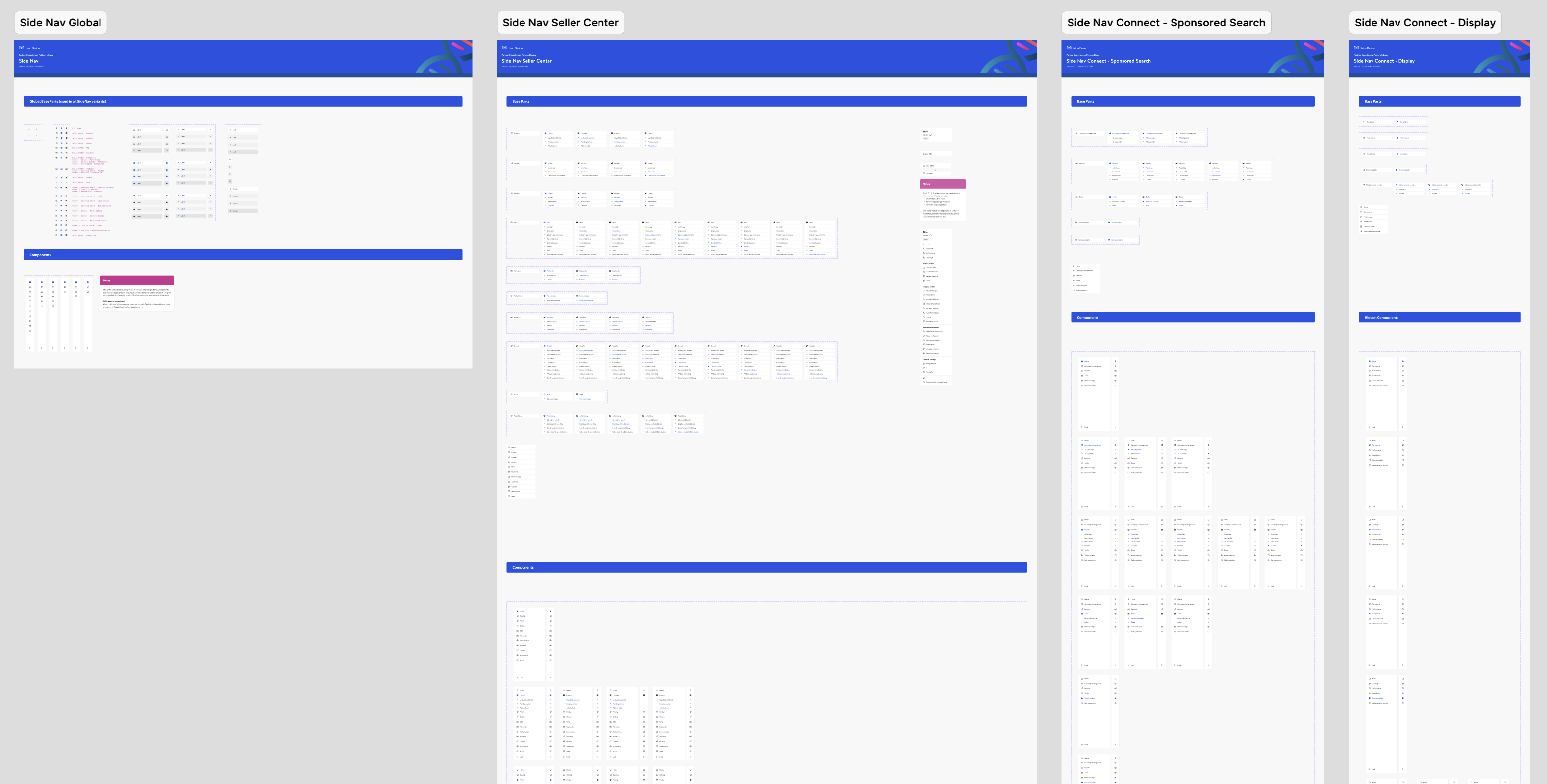
One downside of such complex components is that time consuming collaboration with the pattern library team is required when someone needs a variation or iteration. To maintain library integrity, and to ensure that new variations are constructed correctly, users must:
- File a ticket with the pattern library team.
- Submit a hierarchy of parent/child links requested in the new variation.
- Wait for the pattern library team to:
- Build the new variation in a library branch.
- Go through the review/approval/merge process for the work, in Figma.
- Publish & release the new/updated components in the library.
Since engineers use the same atoms & molecules to construct a Side Nav, in React, it's fortunately easy for them to follow design comps when parent and child links change. But the design process is slower than we'd like it to be.
Opportunity.
I saw this as a great candidate for Figma plugin exploration. If a user can fill in a form, in a plugin UI, and output the assembled component set to their design file, they would require no involvement on the part of the pattern library team. Designers can iterate as many versions of the Side Nav as needed, and dispose of any previous versions. As long as they don't change its foundational structure (spacing, font sizes, etc.), engineers can use the system components in React.
Solutions.
Step 1: The plugin development environment
Figma provides extensive information in their Plugin Quickstart Guide. I have enough experience with HTML/CSS, Node, JavaScript & TypeScript to spin up the skeleton of a basic plugin.
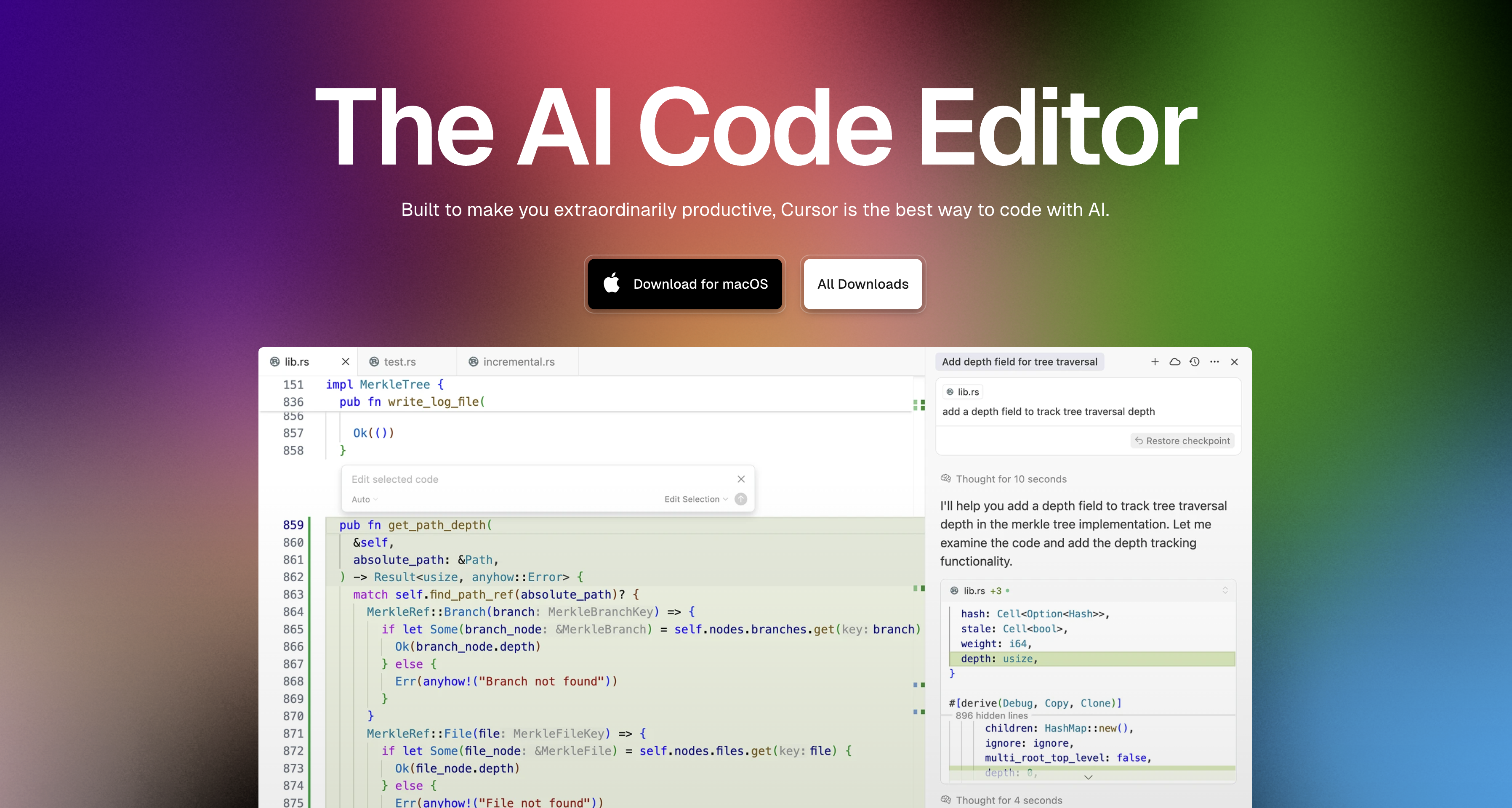
My first impression of Cursor was that it's a clone of VS Code with a built-in engineering partner. 🤓
Step 2: The plugin modal UI
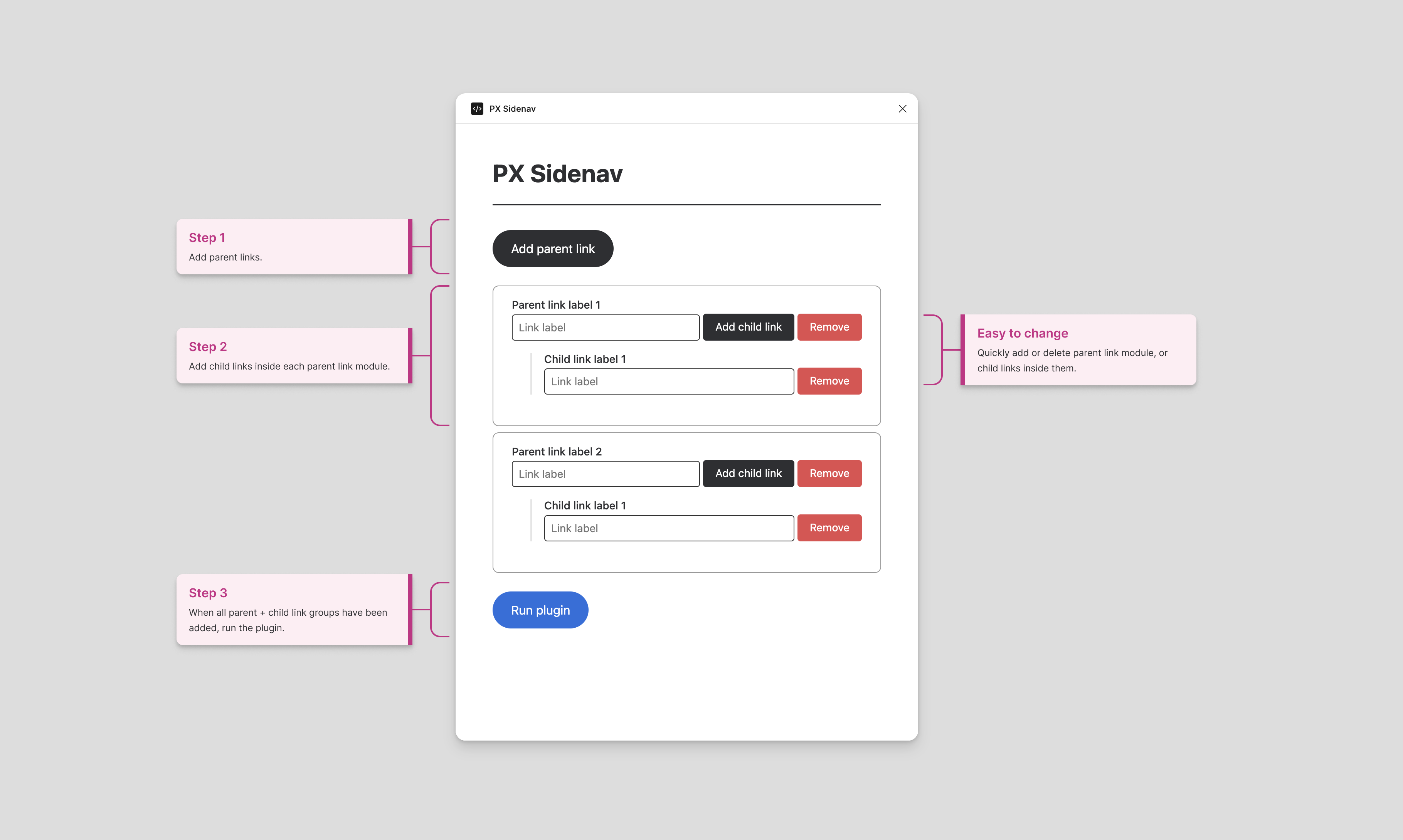
As a designer with coding experience, getting the plugin modal UI set up was fairly easy. I was able to add the necessary JavaScript to manipulate the DOM based on user input.
- User adds/removes as many parent-child navigation groups as needed.
- Enter link labels into the input fields.
- Click Run plugin.
Output.
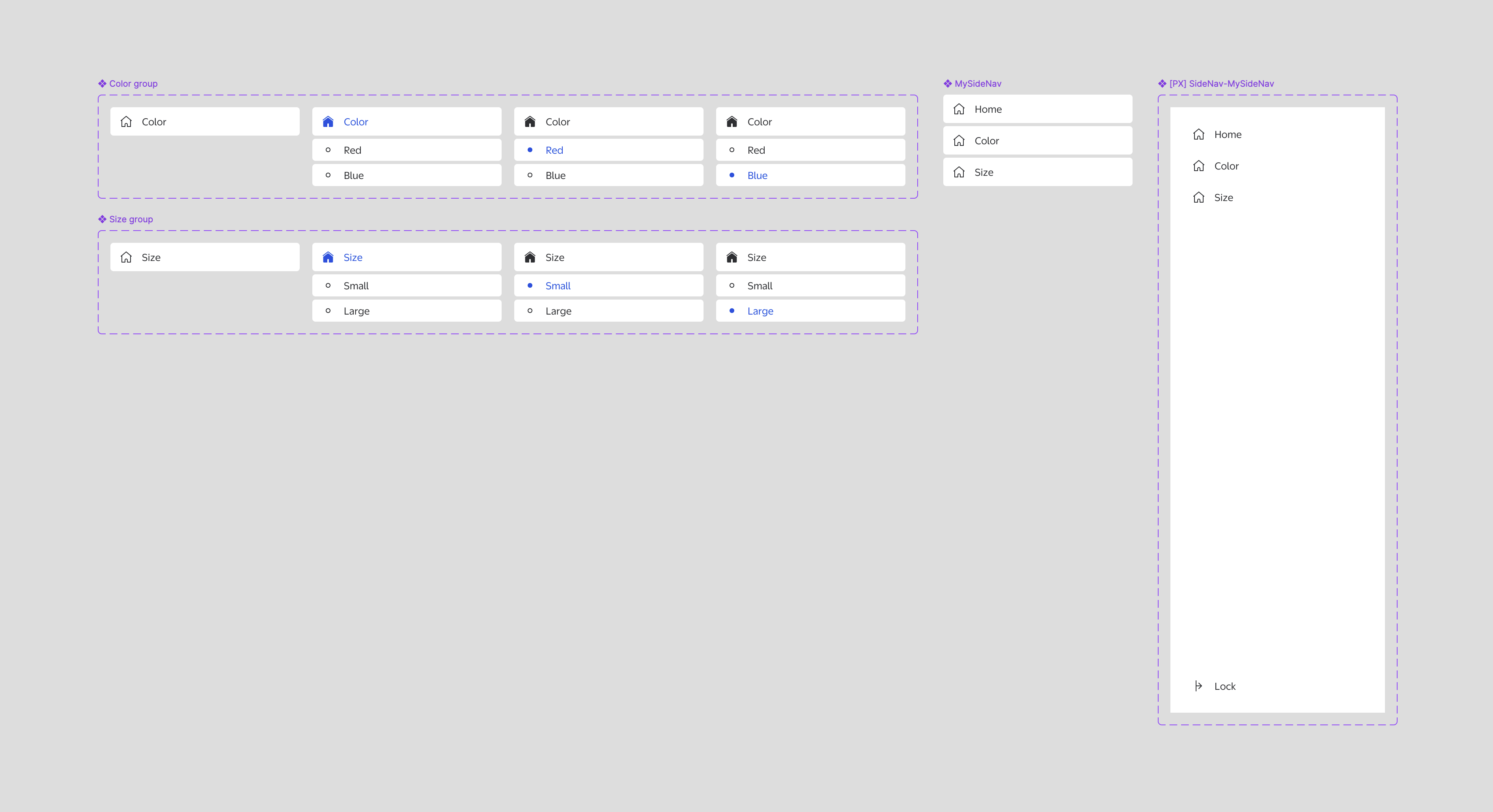
Upon running the plugin, the user will get the following output, on their artboard:
- One component set for each parent/child group, with variants for every possible active state of the parent and child links.
- The “MySideNav” component, which is made up of:
- A “Home” link, which appears by default
- The collapsed variant of each parent/child group
- The [PX] SideNav-MySideNav organism. This is the component designers would place into their template.
Learnings.
Overall, I'm pretty amazed at how easy it is to build a complex Figma plugin, using Cursor's conversational UI. I think it's definitely still a requirement that someone building a Figma plugin with Cursor have a comfortable level of knowledge of JavaScript, in order to write effective prompts. But it allowed me to complete this task without involving an engineering partner. I would want a qualified engineer to help with some debugging, and to review the code before shipping, but the ability to do this without taking up the design system's engineering resources was highly rewarding!
Get in touch.
I welcome the opportunity to discuss this project in more detail, as well as more of my design system work! grgsmthdsn@gmail.com